What do you want to do?
Install InBilling and start the 15-day trial
Installing takes a few minutes and needs no internet — not to install, not to run, and not to activate later. Everything works for fifteen days; nothing is locked on the trial except restoring a backup.
Before you start
- Windows 10 or 11, 64-bit
- About 600 MB of disk, plus room for your books and backups
- A printer if you want to print bills (A4, A5, A6 or thermal all work)
- A pen drive or a second disk for backups — strongly recommended
Step by step
- Download the installer from the Download page. It is one file, about 220 MB, and it holds all three editions.
- Run the setup file. Windows may show a blue box saying “Windows protected your PC”. Click More info, then Run anyway. This is normal: the installer is not yet signed with a code-signing certificate, so SmartScreen warns about it the first few times it is downloaded. Nothing is wrong with the file.
- Tell it about the business. Business name, address and phone; your GST number if you have one; whether this is a shop or a commission agent; and a username and password for yourself. That account is the owner’s — write it down, nobody can reset it for you.
- Write down the recovery key. It shows you a recovery key and asks you to type part of it back. Do not rush this screen. Your books are encrypted from the first bill, and if this computer is ever lost or replaced, that key is the only thing that opens them again.
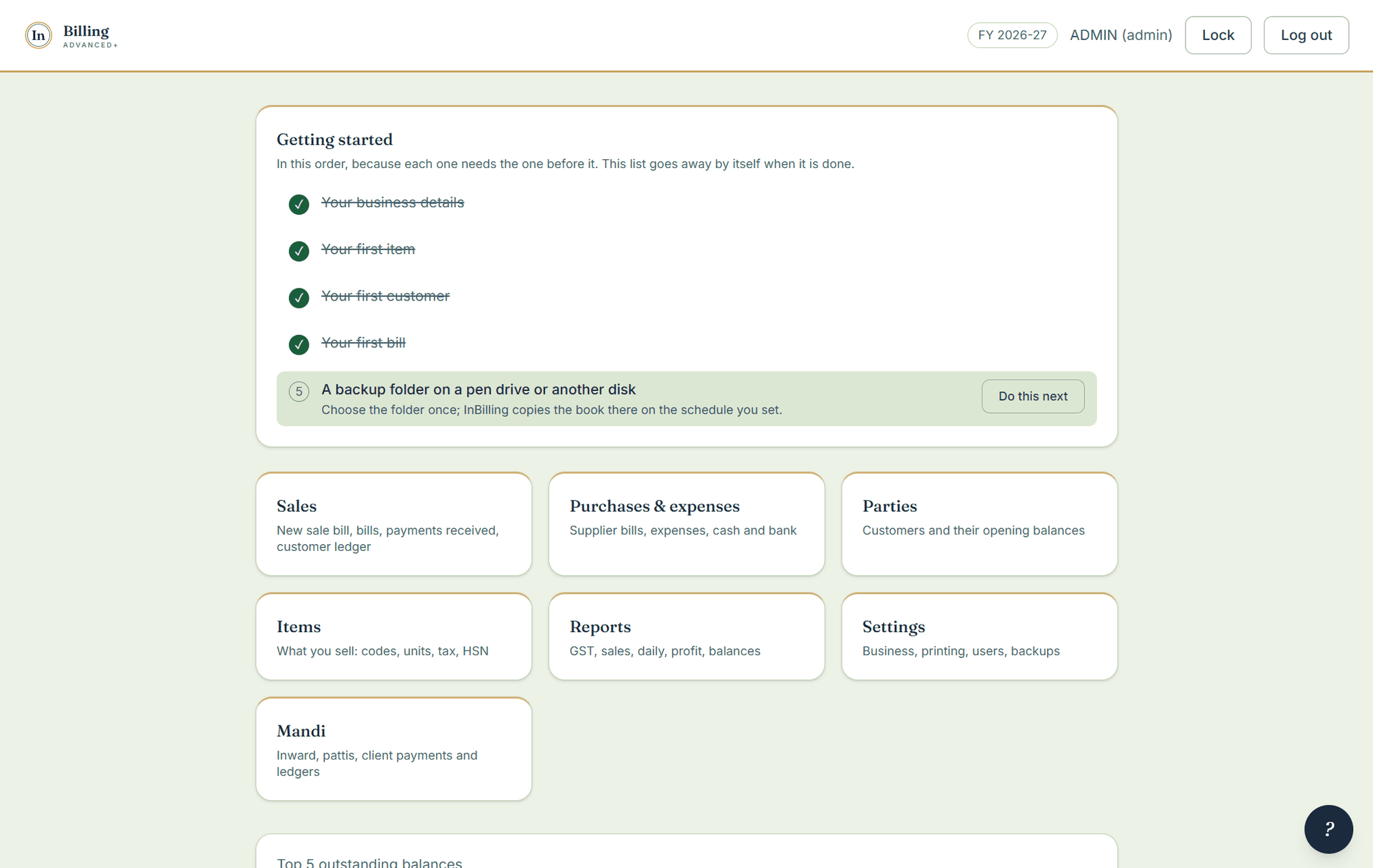
- Start billing. The home screen carries a short first-day checklist — business details, first item, first customer, first bill, backup folder — that ticks itself off and then disappears.
Already using Prime Billing?
Run this installer straight over it. It finds the old program, removes it and installs itself — one entry on the Start menu and your books exactly where they were. Do not uninstall by hand first.
Stuck?
Call or WhatsApp +91 85532 01741 and we will walk you through the install on the phone. Or press F1 inside the program and type what you want to do in your own words.